
5 AI Tools That Can Build a Full Mobile App From a Text Prompt
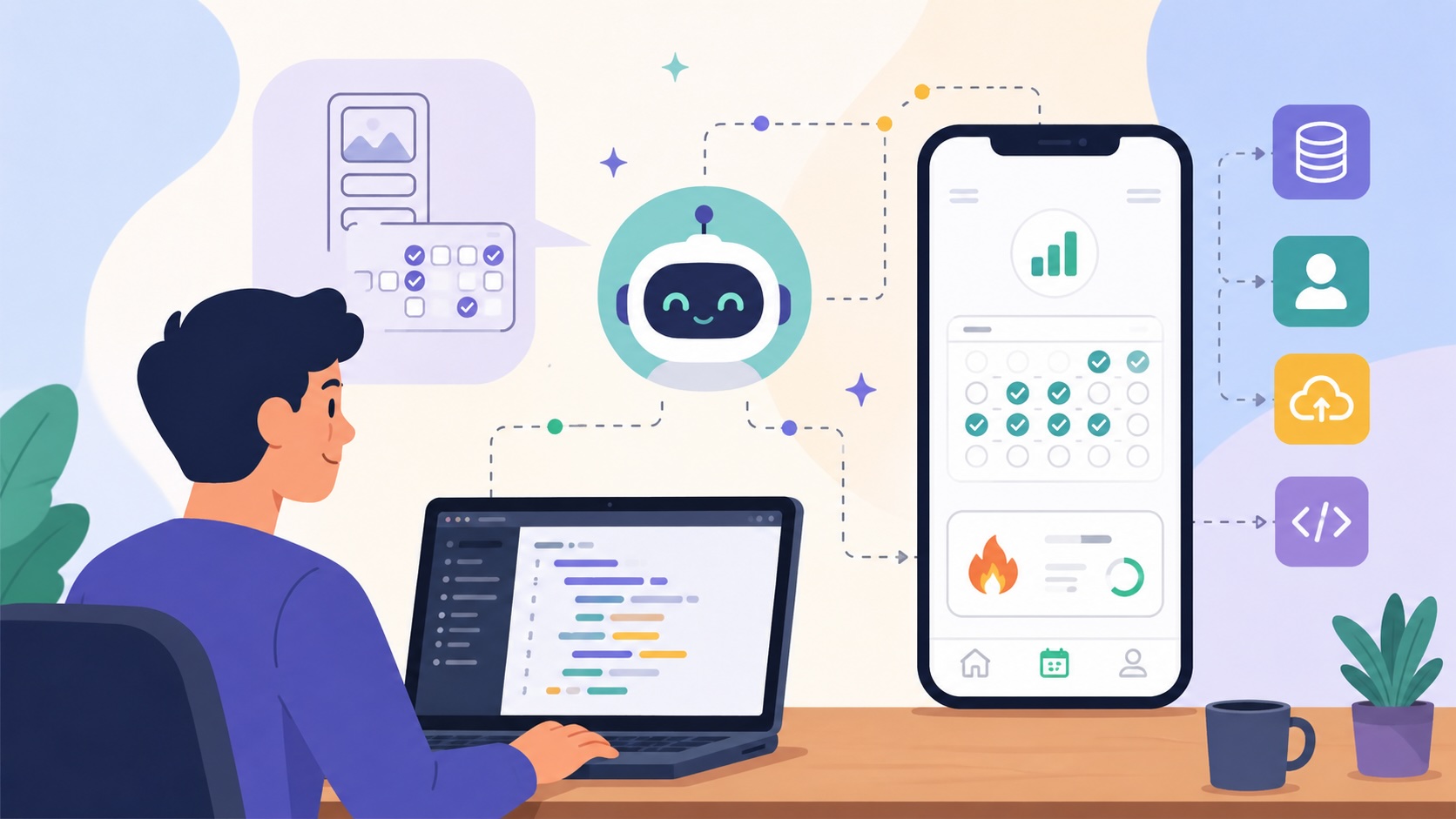
TL;DR: You can describe an app idea in plain English and get a working mobile app back in minutes. This post covers 5 tools that do it: CatDoes (full-stack mobile apps with cloud backend and App Store deployment), Bolt.new (fast web app prototyping), Lovable (full-stack web apps), FlutterFlow (visual builder with AI assist), and Replit (browser-based IDE with AI agent). Each has different strengths depending on whether you need a web app, native mobile app, or both.
Two years ago, "build me an app" was a $20,000 conversation. You needed a developer, a designer, a project manager, and four months of back-and-forth before you had anything to show for it.
That changed fast. A new wave of AI tools can take a plain-text description of what you want and turn it into a working application with screens, navigation, a database, and sometimes even App Store deployment. No coding required.
What's particularly interesting is how these platforms are changing the design process as well. Many of them can automatically generate layouts, user flows, and interface components, making them valuable AI tools for UI designers who want to move from wireframes to functional prototypes much faster. Instead of designing every screen manually, designers can focus more on user experience, testing, and refinement while AI handles much of the initial implementation work.
I tested five of them by giving each the same prompt: "Build me a habit tracking app where users create habits, check them off daily on a calendar view, and see their streaks and completion stats." Here's how they did.
Table of Contents
- What to look for in a text-to-app tool
- CatDoes
- Bolt.new
- Lovable
- FlutterFlow
- Replit
- Side-by-side comparison
- So which one should you pick?
- Getting started
What to look for in a text-to-app tool
Before the individual tools, here's what actually matters when you're picking one of these.
Does it include a backend? Most apps need a database, user accounts, and file storage. If the tool generates a frontend but leaves you to wire up the backend yourself, you're still doing half the work manually.
Can it deploy to the App Store? A preview link is nice. Getting your app into the App Store and Google Play is the part that actually matters. Some tools only output web apps.
Can you iterate by talking to it? The first generation is never perfect. You need to say "move the settings to a separate tab" or "add a dark mode" and have the tool understand what you mean without rebuilding everything.
Can you export the code? At some point, you might want to hand the project to a developer or customize something the AI can't handle. Tools that let you export or connect to GitHub give you a way out.
1. CatDoes
CatDoes is an AI agent that builds mobile apps and websites from natural language. You type what you want, the agent generates the full app (screens, navigation, backend), and you can deploy to the App Store, Google Play, or the web with a custom domain.
The backend is the part that impressed me most. Every app gets CatDoes Cloud, which is a database, authentication, file storage, edge functions, and realtime features all set up automatically. If you describe an app where users sign up, save data, and upload photos, the backend just works. No configuring Supabase, no Firebase console, nothing.
You describe what you want, the agent builds it. It supports multi-page apps, monorepo projects, and GitHub import if you want to bring existing code.
Deployment is where CatDoes really pulls ahead. It handles App Store submission directly, with a built-in review simulation that catches rejection risks before you submit. Web deployment supports custom domains, up to 20 per project.
I found it the easiest to go from "I have an idea" to "people can download my app." The backend being built-in removes what's usually the biggest headache for non-technical builders.
Free tier gives you 25 credits to try it. Paid plans start at $20/month (Core) and go up to $399/month (Max) with more credits, projects, and cloud capacity. Credit bundles run $30-$150 as one-time purchases if you need extra.
2. Bolt.new
Bolt.new is one of the ways to go from a text prompt to a working web app. You describe what you want, and Bolt generates it in the browser using WebContainers, which runs Node.js entirely in your browser tab.
The catch: Bolt builds web apps, not native mobile apps. If you need something on the App Store or Google Play, you'll need a wrapper or a different tool. There's no built-in backend either. For anything that needs a database or authentication, you connect Supabase or Firebase yourself.
Where Bolt.new falls short:
- No native mobile apps. Bolt only outputs web apps. If you need an iOS or Android app, you're stuck wrapping the output in a WebView or starting over with a different tool.
- No built-in backend. Need a database, user accounts, or file uploads? You'll configure Supabase or Firebase yourself. That's half the project for most real apps.
- No App Store deployment. There's no path from Bolt to the App Store or Google Play without significant extra work.
- No GitHub integration. You can export code, but there's no direct repo connection for version control.
If you've already built something in Bolt and want to turn it into a native mobile app, CatDoes supports GitHub import; bring your existing code and deploy it to the App Store without rebuilding from scratch.
Free tier available. Pro starts at $20/month.
3. Lovable
Lovable builds full-stack web applications from text prompts. The thing that stands out is design quality. The apps it generates tend to look polished without any tweaking, which matters if you're building something customer-facing.
Lovable connects directly to Supabase, so you get a database, authentication, and storage without manual setup. It also links to GitHub, so your generated code lives in a repo you control from day one.
Iteration works well. Describe changes in natural language, the tool updates in real time. The React-based UI components look like someone actually designed them, not like default Material UI with the serial numbers filed off.
Where Lovable falls short:
- Web apps only. Lovable can't generate native mobile apps. Everything it builds runs in a browser. If your users expect to find your app in the App Store, Lovable won't get you there.
- No App Store deployment path. There's no built-in way to go from a Lovable project to a published mobile app. You'd need a third-party wrapper like Capacitor or a complete rebuild.
- Limited to React. The output is React-based, which is fine for web but doesn't compile to native mobile code.
Already have a Lovable project you want on the App Store? CatDoes can convert Lovable web apps into native mobile apps — import your code and deploy to iOS and Android without rebuilding.
Free tier with limited usage. Paid plans from $20/month.
4. FlutterFlow
FlutterFlow isn't really a text-to-app tool. It's primarily a visual drag-and-drop builder for Flutter apps, with AI features added on top. You can use AI to generate screens from prompts, but the core workflow is manually arranging widgets on a canvas.
The upside: Flutter compiles to native iOS, Android, and web from a single project. True cross-platform output. FlutterFlow also supports Firebase and Supabase integrations, custom API calls, and complex logic flows.
The downside: it's complex. The learning curve is steep compared to purely prompt-based tools. AI generation helps you start, but you'll spend real time in the visual editor adjusting layouts, adding logic, wiring up data sources. It's a low-code platform with AI features, not a text-to-app tool in the way the others on this list are.
Where FlutterFlow falls short:
- Steep learning curve. This is not a "type and get an app" tool. You'll spend hours learning the visual editor, widget tree, and logic flows before you build anything useful.
- AI is a side feature, not the core. The AI can generate starter screens, but you'll do most of the work manually in the drag-and-drop editor. It's a low-code platform, not a text-to-app tool.
- App Store deployment is manual. FlutterFlow outputs Flutter code, but you still need to compile it yourself, set up Xcode or Android Studio, manage signing certificates, and submit through Apple and Google's processes.
- More expensive. The free tier is limited to prototyping. Useful features like code export require the Pro plan at $70/month.
- Backend setup required. Firebase and Supabase integrations exist, but you configure them yourself. No automatic backend generation.
If you want the cross-platform benefits of Flutter without the manual build pipeline, CatDoes handles the full deployment— including App Store submission and review simulation.
Free tier for prototyping. Standard plan at $30/month. Pro at $70/month.
5. Replit
Replit is a browser-based IDE that adds an AI agent capable of building full applications from text prompts. You describe what you want, and the Replit Agent scaffolds the project, installs dependencies, writes the code, and deploys it to a Replit URL.
Where Replit differs from the others: it's fundamentally a coding tool. The AI generates code you can see and edit directly in the browser IDE. If you're comfortable reading code (or want to learn), that transparency is useful. If you just want to describe an app and not think about code at all, it's more than you need.
Replit doesn't build native mobile apps. The output is web-only, hosted on Replit's infrastructure. There's no App Store deployment, and moving your project off Replit to your own hosting takes some work. The backend situation depends on what the agent sets up for you, which varies.
Where Replit falls short:
- No native mobile apps. Like Bolt and Lovable, Replit only outputs web apps. No path to the App Store or Google Play.
- Code-heavy experience. The AI generates code in a full IDE. If you're not comfortable reading and debugging code, Replit will feel overwhelming rather than helpful.
- Hosting lock-in. Your app runs on Replit's infrastructure. Moving it to your own hosting takes real engineering work — it's not a simple export.
- Inconsistent backend. What backend you get depends on what the AI agent decides to set up. Sometimes it's solid, sometimes it's minimal. You don't have much control over the architecture without diving into the code.
- No App Store deployment. No built-in pipeline for native mobile deployment at all.
If you've prototyped something in Replit and want it as a native app, CatDoes can import your code from GitHub and handle the mobile deployment.
Free tier available. Replit Core at $25/month. Replit Teams from $40/month per seat.
Side-by-side comparison
| Feature | CatDoes | Bolt.new | Lovable | FlutterFlow | Replit |
|---|---|---|---|---|---|
| Input method | Text prompt + code | Text prompt | Text prompt | Visual + AI assist | Text prompt + code |
| Output | Mobile(iOS, Android) + Web | Web only | Web only | Mobile + Web | Web only |
| Backend included | Yes (database, auth, storage, edge functions, realtime) | No (bring your own) | Yes | Partial | Varies (agent decides) |
| App Store deployment | Yes (built-in) | No | No | Yes (via Flutter build) | No |
| GitHub integration | Yes | No | Yes | Yes | Yes (Git-based) |
| Code export | Yes | Yes | Yes | Yes | Yes |
| Custom domains | Yes (up to 20) | Limited | Yes | Yes | Yes |
| Learning curve | Low | Low | Low | High | High |
| Starting price | Free / $20/mo | Free / $20/mo | Free / $20/mo | Free / $30/mo | Free / $25/mo |
So which one should you pick?
Depends on where you want your app to live.
If you want a mobile app on the App Store and Google Play without managing infrastructure, CatDoes is the most complete option. Generation, backend, deployment, all in one place. No wiring up external services, no figuring out Xcode.
If you're building a web app or prototype, Bolt.new is the fastest. Lovable is better if you care about design polish and want a Supabase backend wired up automatically.
If you want granular control over a cross-platform app and you're comfortable learning a visual builder, FlutterFlow gives you the most flexibility. It'll just take longer to get there.
If you're a developer who wants to see and edit the generated code directly, Replit gives you full visibility into what the AI is building. It's more of a power-user tool.
Here's what it comes down to: most people reading this want to go from an idea to a real app that other people can download. That's the use case where the gap between these tools is widest. Only CatDoes and FlutterFlow can get you to the App Store, and CatDoes does it without requiring you to learn a visual editor or manage your own build pipeline.
Getting started
Pick the tool that matches where you want your app to live. Start with a specific prompt. Not "build me a social media app" but "build me a dog walking scheduling app where owners book walks, walkers confirm availability, and both sides can message each other." The more specific you are, the better the first generation.
Every tool on this list has a free tier. Try your prompt in two or three and see which output is closest to what you had in mind. Then pick one and build from there.
FAQs
Can AI really build a full app from a text prompt?
Yes, but "full" depends on the tool. Some generate only the frontend (screens and navigation). Others, like CatDoes, include the backend (database, auth, storage) and handle deployment. The more complete the tool, the less work left for you.
Do I need coding skills to use these tools?
Not for CatDoes, Bolt.new, or Lovable. You interact through natural language. FlutterFlow requires more technical comfort since it's a visual builder with logic flows. Replit shows you the code directly, which is great if you can read it and overwhelming if you can't. For all of them, knowing what a database and authentication are helps you write better prompts.
Can I publish an AI-generated app to the App Store?
Yes. CatDoes includes built-in App Store deployment with a review simulation that catches common rejection reasons before you submit. FlutterFlow outputs Flutter code you can compile and submit through Xcode. The other tools on this list focus on web deployment.
What happens if I outgrow the AI tool?
Most of these let you export your code. CatDoes supports GitHub integration and code export on its Plus plan and above, so you can hand the project to a developer whenever you're ready. No lock-in.
How much does it cost to build an app with AI?
All five tools have free tiers. Paid plans range from $20 to $70/month depending on the tool and tier. Compare that to the $20,000-$50,000 a development agency would charge for a custom mobile app.
walks, walkers confirm availability, and both sides can message each other." The more specific you are, the better the first generation.
Every tool on this list has a free tier. Try your prompt in two or three and see which output is closest to what you had in mind. Then pick one and build from there.