
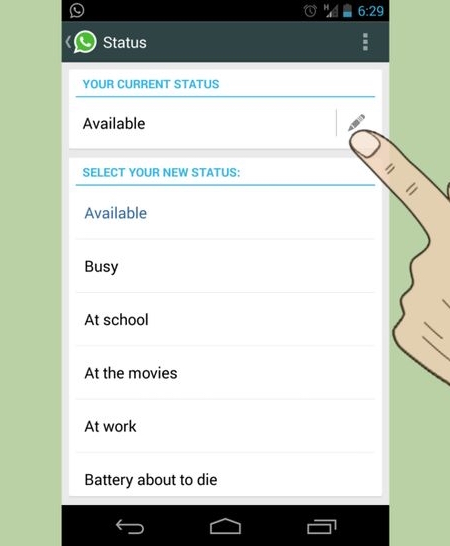
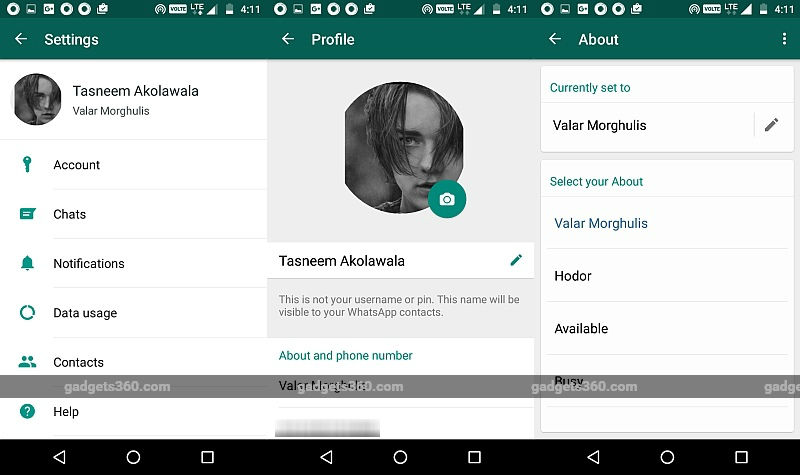
WhatsApp brings back text Status it replaced with Stories Text Statuses reappeared in the Android Beta version of WhatsApp in the About section of profiles. Users can open the About section of their profile to set a text Status, and view other people’s by opening their contact when starting a new chat thread or looking at group chat info. The feature is still being tested, but this indicates that it should arrive in the stable version soon. If you want to use it immediately, sign up for the WhatsApp beta community in Google Play. For beta users, you will see the old status feature by pressing the three dot icon on the top right edge. Head to Settings, and in the About and phone number section you will see the old status option back. It comes with the old default options of 'Available', 'Busy', 'At school', 'At the movies', etc, and more importantly does not disappear in 24 hours.

WhatsApp text status
WhatsApp Text Status Makes a Return in 'About' With Android Beta

Published At

