

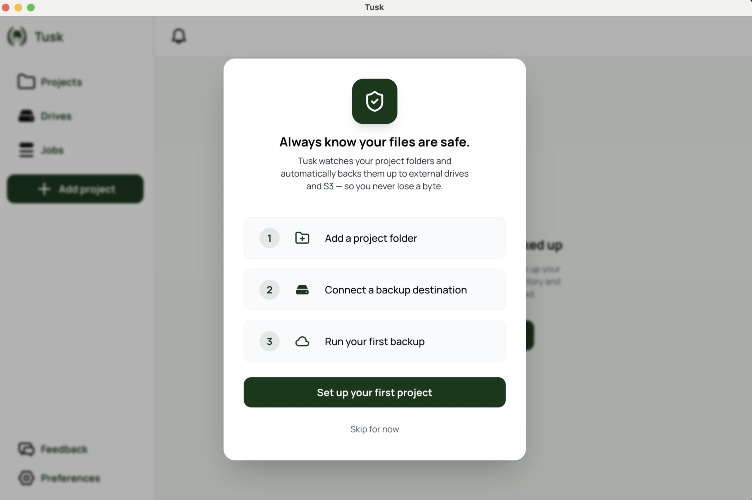

Tusk solves the anxiety of file management and backup by ensuring that your files are safely backed up across multiple destinations simultaneously. It allows Mac users, especially video editors and photographers, to confidently free up local storage space without worrying about losing important project files. Its key features include real-time backup status for each file across all destinations, automatic background syncing of file changes, and a one-click restore function for any file from any destination. Unlike traditional backup tools, Tusk provides visibility of your files even when drives are unplugged, blocking local deletions until all files are fully backed up and verified. This sets Tusk apart as it ensures you're always informed about the status of your backups. Notable alternatives include Time Machine, Backblaze, and ChronoSync. Unlike Time Machine, which lacks fine-grained file tracking, or Backblaze, which offers no per-file visibility, Tusk excels in showing backup status in real-time for every individual file across destinations, including when drives are disconnected. ChronoSync does not track disconnected drives and requires manual operations. Tusk is offered at a one-time purchase price of $49 during the launch period, down from the regular price of $79. A 14-day free trial is available with no credit card required, allowing users to test its features risk-free. FAQs: Q: What makes Tusk different from Time Machine or Backblaze? A: Tusk provides real-time file tracking across multiple backup destinations, unlike the others. Q: Is Tusk a subscription? A: No, it’s a one-time purchase with optional updates after the first year. Q: How does Tusk sync files? A: Tusk continuously watches your project folders and automatically syncs changes in real time. Q: Can I use Tusk without an internet connection? A: Yes, Tusk works with local drives and maintains visibility even when drives are disconnected. Q: How does Tusk verify my files? A: Tusk uses BLAKE3 checksum verification to ensure each file is safely transferred before marking the source as safe.

Tusk
Project-aware Mac backup for video creators. Backs up your files across drives and cloud, and shows where every copy lives, even when drives are unplugged


