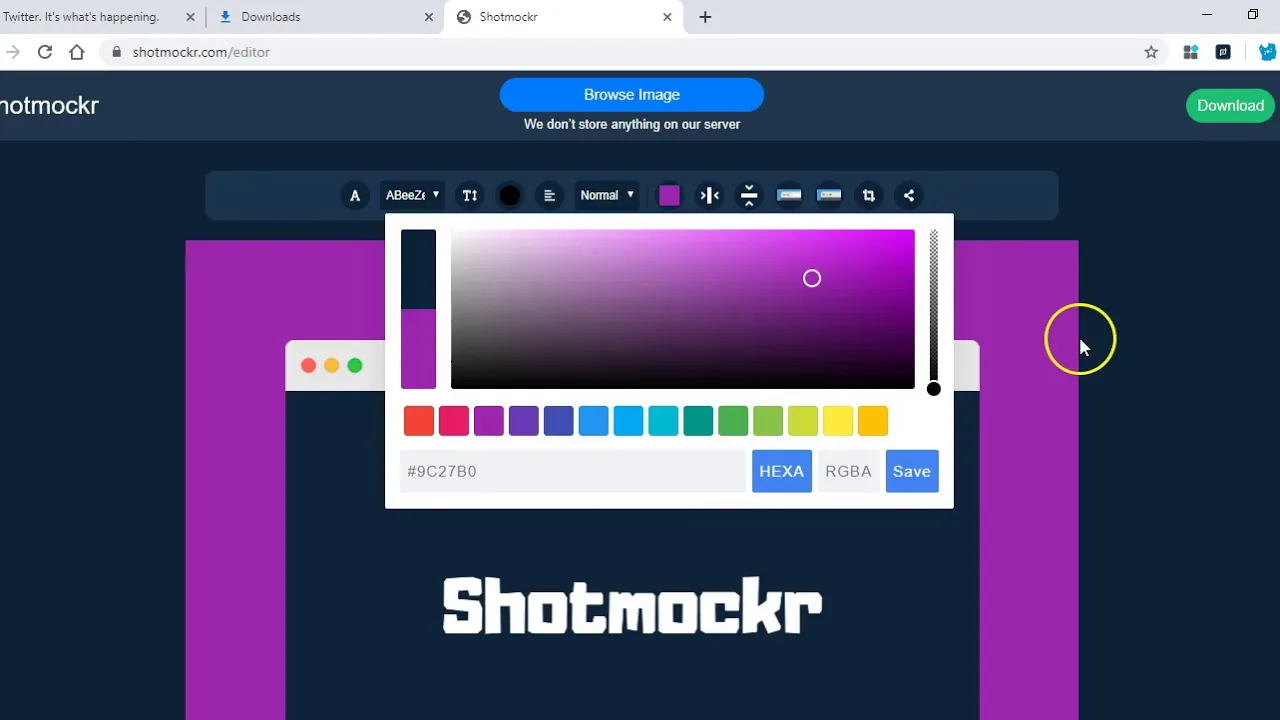



Chrome Extension: https://chrome.google.com/webstore/detail/shotmockr-design-mockups/elklfjmcadphgcmlfehpnakghohbldne Image Editor: https://shotmockr.com/editor Take screenshots, turn images into real-life design mockups without Photoshop or Behance. This Chrome extension and image editor saves time and help you convert ugly screenshot into beautiful, nice-looking and shareable image in seconds. We are privacy first alternative to other screenshot tools on the internet as we don't save your screenshots and images on our server. ? Screenshot for PC, MAC & Chromebook Shotmockr is a simple and easy way to create a professional-looking screenshot for your customers, team members, or even family & friends. Shotmockr would help you capture: ? The visible part of a page ? Selected area [coming soon] ? Entire page [coming soon] ? Browser window [coming soon] When you take a screenshot with this Chrome extension, it auto-detects the dominant colour of the screenshot and automatically sets that as the background colour but you can change the colour via the Shotmockr editor. Within the editor, you also have access to different annotation tool that would help you pass the message to the person receiving the final screenshot or image. Here are available annotation tools: ? Text ? Text font ? Text size, alignment, colour ? Text weight .....more coming soon. ? Make Better Design Mockups You can upload a ready image/photo and then turn it into Mac-ish style design mockups with nice backgrounds without using Photoshop, Sketch or Behance. ? Screen recorder for chrome browser ? Capture your desktop [coming soon] ? ? How to install Shotmockr ? Please, follow these steps to start using Shotmockr today! 1. Click "Add to Chrome". 2. Click on the blue-black Shotmockr Icon from the extension tray. 3. Click on appropriate screenshot option. 4. Enjoy. ? Feedback, Support, New Feature Requests You too can suggest a new feature. See below. Please write to us via support@shotmockr.com if you have any problem, feedback or new feature request regarding Shotmockr (screenshot chrome extension). ? For Translation Help Do you want to help us translate this extension in your language or you just want us to do it for you. Please, send us a mail and we would get started on it.