


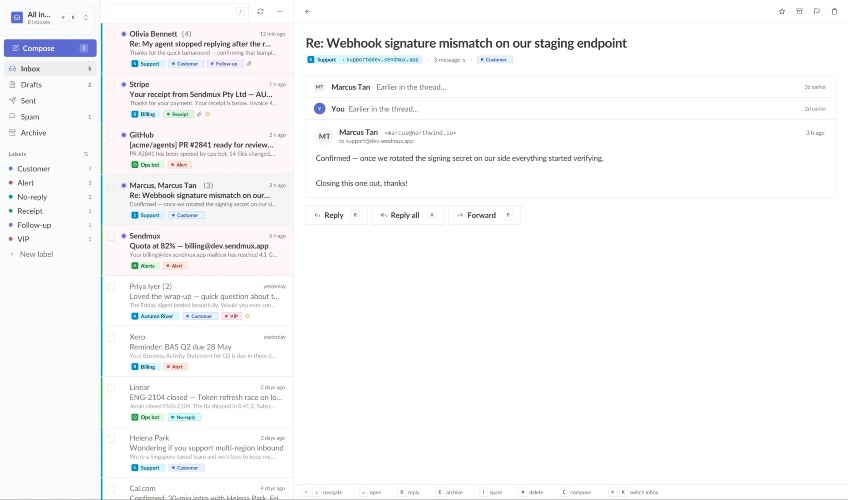

Sendmux solves the challenges faced by AI agents when managing emails. Traditional email tools require multiple services for sending and receiving, leading to complexity, higher costs, and inefficient parsing of content. Sendmux integrates inbound and outbound email capabilities in one API, eliminating the need to string together different providers and allowing agents to act directly on email content without unnecessary formatting distractions. Key features include: - **Unified API**: Access both sending and receiving functions through one API, simplifying integration. - **Agent-shaped inboxes**: Create dedicated mailboxes on verified domains or the standard myagent.mx, and receive emails as clean JSON instead of raw HTML, which significantly reduces the token count needed for processing. - **Flexible provider routing**: Avoid lock-in with your email provider; connect via SMTP or OAuth and manage mail flow across various providers based on performance metrics. - **Real-time event handling**: Utilize webhooks and server-sent events to receive notifications of email deliveries without needing to constantly poll for updates. - **Quotas and weights**: Manage email distribution effectively using quotas at multiple levels (second, minute, hour, day) and percentage weights for different providers. Alternatives to Sendmux include traditional ESPs like SendGrid or Mailgun, which might offer a fraction of the features at a similar price point but often lack built-in support for multi-tenancy or the advanced routing capabilities optimized for AI. Sendmux offers a straightforward pricing model: $0.15 per 1,000 emails, with no subscriptions or recurring fees, allowing users to start for free and scale as needed. FAQs: 1. **Can I use my email provider with Sendmux?** Yes, Sendmux supports SMTP and OAuth for many major email providers. 2. **What happens if a provider fails?** Sendmux automatically reroutes traffic to functioning providers, ensuring uninterrupted service. 3. **How do I set up my agent mailboxes?** You can create dedicated mailboxes using the Sendmux dashboard or API in just a few minutes. 4. **Is there a limit on how many emails I can send?** No explicit limits, but pricing is based on usage, and you're billed accordingly. 5. **Do I need technical skills to use Sendmux?** While some technical knowledge is beneficial, our documentation and support can help guide you through the setup process.