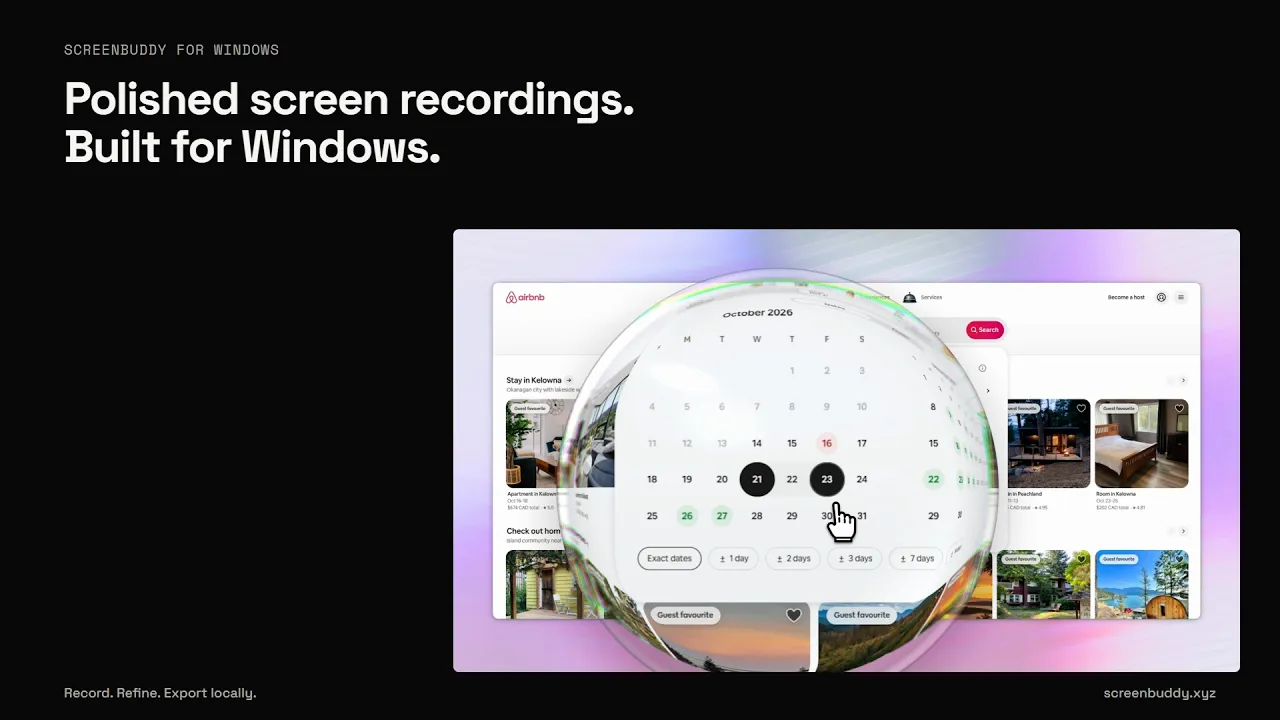


ScreenBuddy is a Windows screen recorder and editor for product demos, tutorials, and walkthroughs. Record your screen, a window, or a selected area, with optional microphone, supported system audio, and webcam. Bring details into focus with automatic zoom and callout bubbles. Generate captions locally, add pen markup, and hide sensitive information with blur or solid covers. Create depth with 3D camera movements, adjust the cursor and canvas, and trim pauses. Optional AI webcam background removal is available in Beta on supported computers. Keep editing while an export renders. Export MP4 or GIF locally, or publish an unlisted shareable link so viewers can watch in their browser. Built for Windows 10/11 (64-bit). Also available for Apple silicon Macs running macOS 12 or later. Intel Macs are not supported. Audio availability and optional enhancements depend on the platform and capture source. Record and edit free. Exports and shareable links require a subscription: USD $10/month, or USD $60/year ($5/month billed annually). Updates are included while subscribed. Cancel any time. Previously purchased lifetime licenses keep working. Recording, editing, captions, and local export process media on your device. Sharing uploads only the finished video you choose; sign-in, subscription verification, updates, and optional model downloads use the internet.