
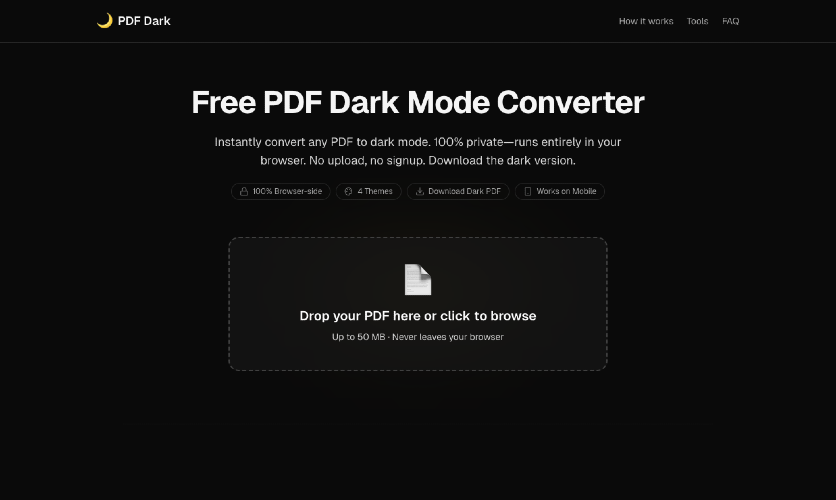
PDF Dark is designed to solve the problem of reading documents in bright environments, where traditional white backgrounds can cause eye strain. This free dark mode converter allows users to convert any PDF to a comfortable dark theme without compromising the quality of images or text. The key features include the ability to work entirely in your browser without any uploads or signups, ensuring complete privacy. Users can choose from four distinct themes: Midnight, Sepia, Solarized, or OLED pure black, and download the dark-themed PDF directly to their devices. Unlike other methods, PDF Dark maintains the original colors of images while applying the dark mode, eliminating common issues found in browser extensions that invert images. Additionally, this tool works seamlessly on mobile devices, particularly iOS Safari, making it accessible on the go. Other notable alternatives include various browser extensions and online tools, but these often require installations or do not preserve the integrity of images. PDF Dark stands out for its local processing, ensuring that files never leave the user's browser. Pricing models are not applicable, as PDF Dark is completely free to use. FAQs: 1) Is my PDF uploaded to your server? No, it runs entirely in your browser; we don't upload your file. 2) How can I print a PDF in dark mode? Download the dark PDF and print it from any reader. 3) Does this work on iPhone or iPad? Yes, it works on Safari for iOS without any app installations. 4) How is this different from a browser dark-mode extension? Unlike extensions, PDF Dark maintains the original colors of images during the conversion process. 5) Does it work for scanned PDFs? Yes, it can effectively render scanned pages as dark mode.
PDF Dark
Convert any PDF to dark mode in your browser. Photos keep their colors. No upload, no signup, free, open source.
Published At