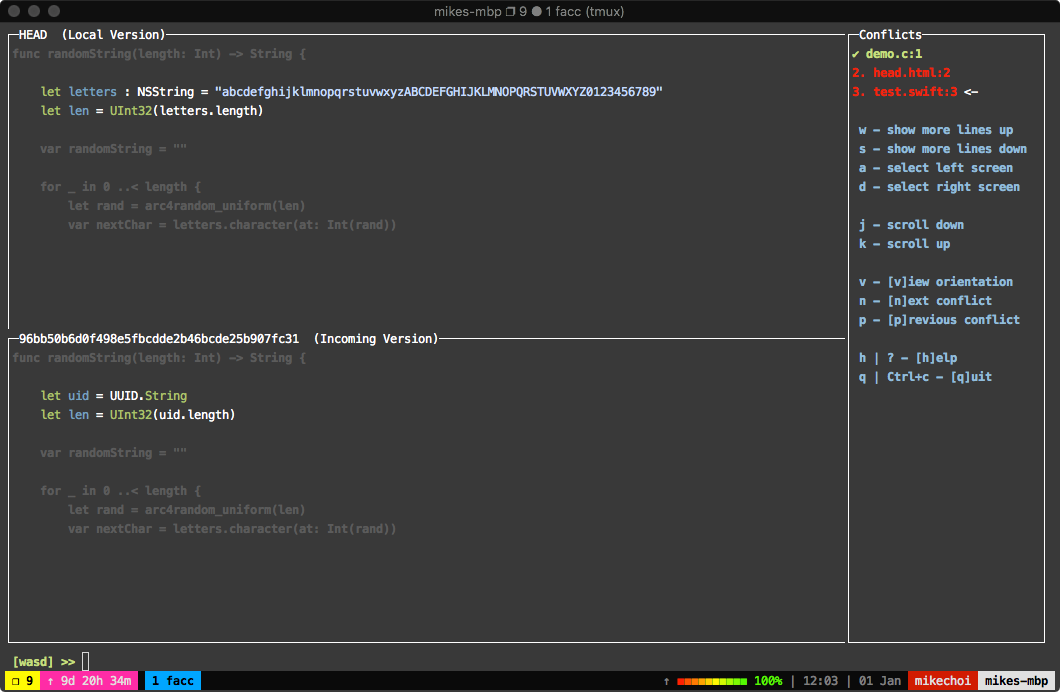
## ? Installation Execute: ```bash $ go get github.com/mkchoi212/fac ``` Or using [Homebrew ?](https://brew.sh) ```bash brew tap mkchoi212/fac https://github.com/mkchoi212/fac.git brew install fac ``` ## Using `fac` operates much like `git add -p` . It has a prompt input at the bottom of the screen where the user inputs various commands. The commands have been preset to the following specifications ``` w - show more lines up s - show more lines down a - use local version d - use incoming version j - scroll down k - scroll up v - [v]iew orientation n - [n]ext conflict p - [p]revious conflict h | ? - [h]elp q | Ctrl+c - [q]uit [wasd] >> [INPUT HERE] ``` > The movement controls have been derived from both the world of gamers (WASD) and VIM users (HJKL).