
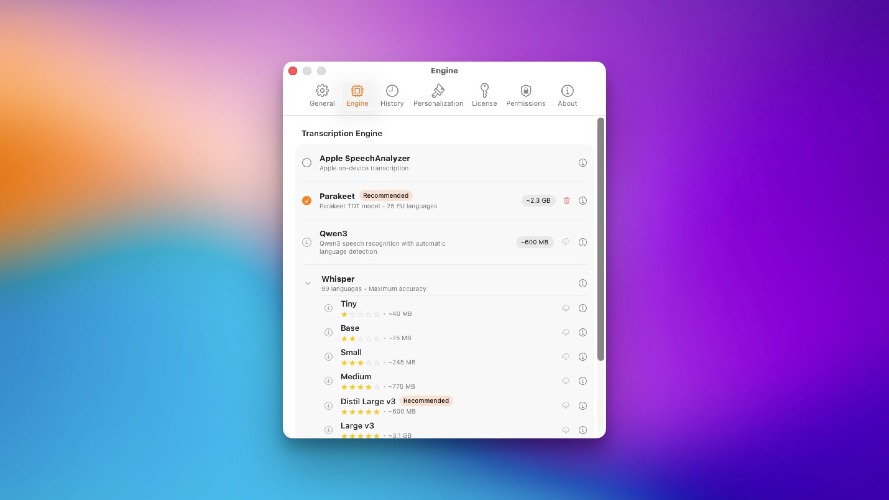
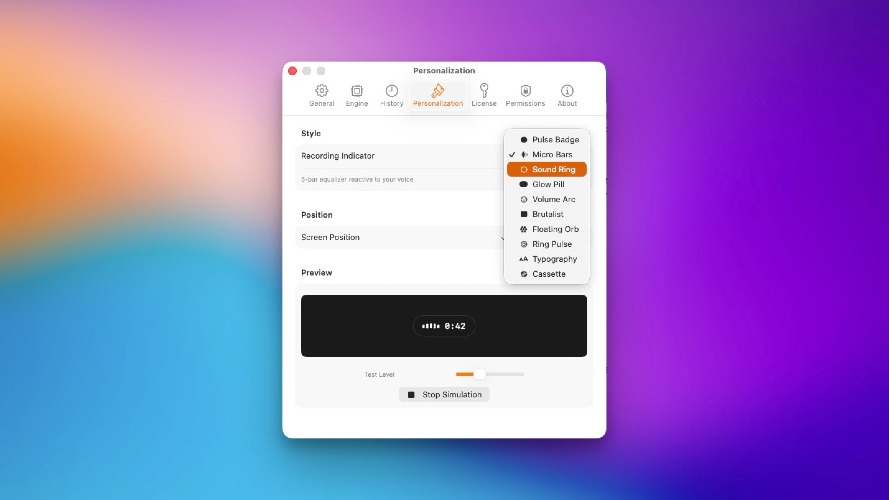
Dictato addresses the common problem of slow typing speed, allowing users to dictate text at 150 words per minute, significantly faster than average typing. This app is designed for writers, developers, and professionals who want to capture ideas without the physical strain of typing. By providing offline dictation capabilities, Dictato ensures privacy and security, as no audio is sent to the cloud or third-party servers. Key features include 80ms latency for near-instant transcription, 100% on-device processing, and support for 25+ languages through automatic detection. Users can dictate in any app, from email clients to word processors, with no interruptions or time limits. Unlike Apple's built-in dictation, Dictato does not cut off when users pause, allowing for seamless thought expression. Notable alternatives include Apple's dictation system and Dragon, which is now discontinued for Mac. While Apple's option is free, it comes with restrictions such as paste-only functionality, lack of language variety, and the need for an internet connection. Dictato stands out by offering a one-time fee of €9.99 for two years of updates, with no ongoing subscription costs. Leading features: - 100% private offline dictation - Unrestricted dictation time - Flexible transcription engines: Whisper, Parakeet, and Apple - Real-time proofreading and instant text integration For those wanting to try before they buy, Dictato offers a 7-day free trial with full functionality, requiring no credit card upon sign-up. FAQs: 1. How does Dictato work? - Dictato lives in your menu bar, allowing you to press a hotkey, dictate, and instantly see text appear where your cursor is. 2. What makes Dictato different from Apple's dictation? - Dictato offers unlimited dictation time, 100% on-device processing, and three transcription engines, unlike the limited and cloud-dependent Apple option. 3. Can I use Dictato with any application? - Yes, Dictato works with virtually any macOS application where you can type, from emails to code editors. 4. How is my privacy protected? - All audio processing occurs entirely on your Mac, ensuring that your data remains confidential and secure. 5. Is there a free trial? - Yes, Dictato offers a 7-day free trial to explore its features before purchasing.
Dictato
Dictato is a powerful Mac dictation app that converts speech to text quickly, securely, and offline. Perfect for writers and professionals.
Published At


