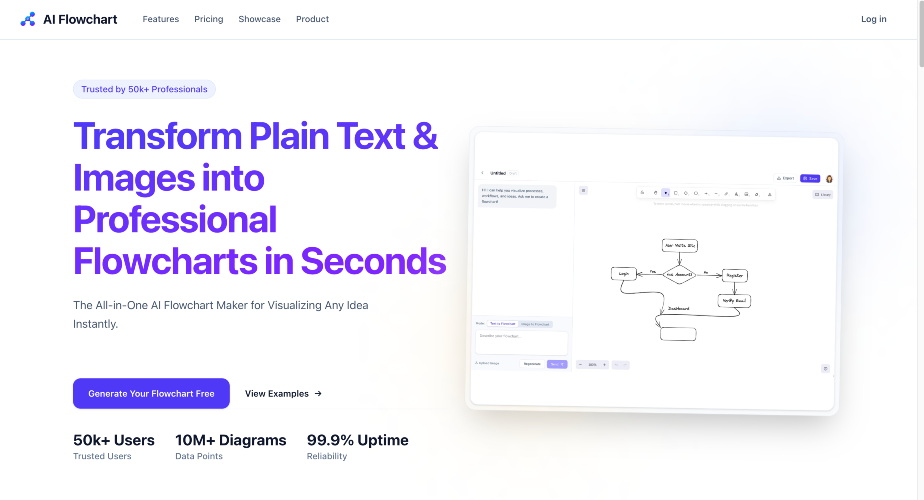
My Honest Experience with AI FlowChart 1. The problem I had I kept running into the same issue: I could explain a process in words, but my team still misunderstood it. For product discussions, onboarding flows, and ops SOPs, I needed diagrams quickly, but manual drawing in traditional tools took too long and broke my focus. 2. Why I tried this AI tool I wanted an AI flowchart generator that could do two things: ● turn rough text into a usable first draft ● let me edit and export without fighting the UI I also had old whiteboard screenshots, so image-to-flowchart support was a big reason I tested it. 3. What it actually solved After using it for real tasks, it helped most in the “first 80%”: ● I could paste a process description and get a draft flow in seconds ● I spent less time creating basic node/arrow structure ● I could save diagrams and reopen them later instead of redrawing ● export options (SVG/PNG/Excalidraw) made handoff easier For weekly workflow docs, it reduced diagram time noticeably. 4. Pros and limitations Pros ● Fast first draft from text ● Useful when converting rough process notes into visuals ● Editor + save + export workflow is practical ● Good for iterating quickly with teammates Limitations ● Complex branching sometimes needs manual cleanup ● Connector layout may still need adjustment on dense charts ● Prompt quality strongly affects output quality ● Not a full replacement for careful process thinking 5. Who it is for (and not for) Good fit ● Product managers, analysts, founders, ops leads ● Engineers documenting flows and decision logic ● Teams that need fast, editable diagrams from messy input Not ideal ● People expecting perfect final diagrams with zero editing ● Users needing highly formal notation-only outputs ● Teams with strict enterprise diagram governance workflows 6. Related links ● Website: https://aiflowchart.net ● Editor: https://aiflowchart.net/editor ● Pricing: https://aiflowchart.net/#pricing ● Blog: https://aiflowchart.net/blog