

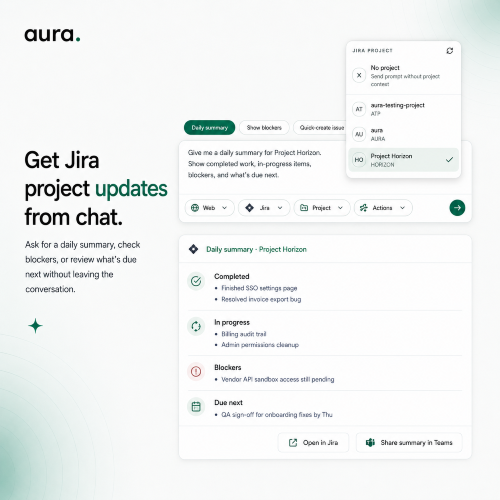
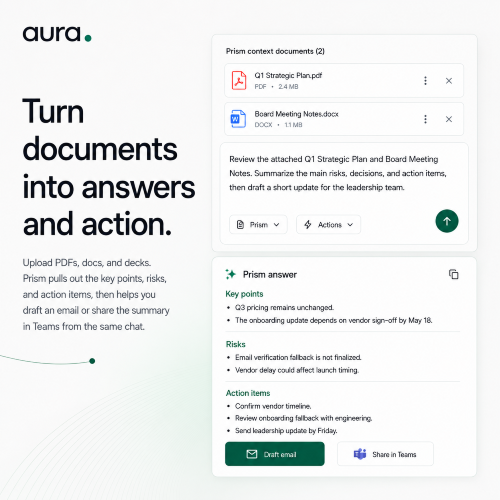
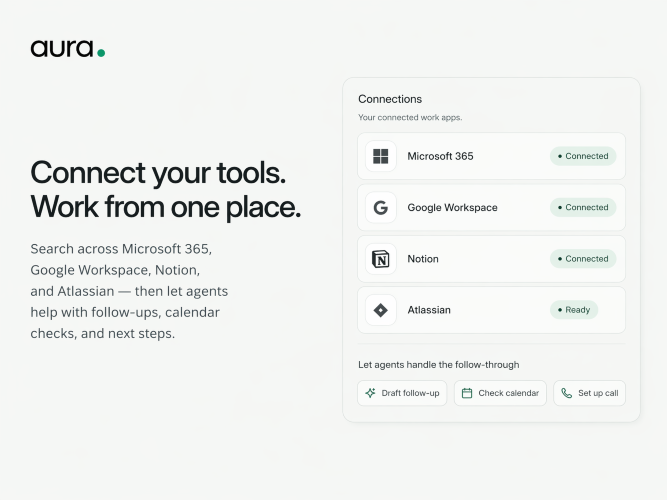
Aura addresses the problem of fragmented workflows in modern teams. Teams often find their work scattered across various platforms—emails, documents, project management tools, and more—leading to inefficiencies in tracking tasks, finding information, and following through on actions. Aura resolves this by offering a unified interface that connects to Microsoft 365, Google Workspace, Notion, Jira, and other tools, allowing users to manage tasks seamlessly in one conversational thread. Key features of Aura include unified search capabilities that pull relevant information from multiple tools, the ability to execute actions such as creating tickets or sending replies directly from the chat, and agentic memory which remembers past interactions to suggest next steps. This results in improved decision-making and reduced context loss. Compared to other alternatives, Aura stands out by providing not just information retrieval but also actionable insights with evidence directly linked to the data. Unlike generic AI assistants, which lack source grounding, Aura offers context-rich answers that ensure higher trust and reliability. Traditional workflows heavily rely on manual integrations between tools, whereas Aura automates and simplifies this process. Aura offers a free plan allowing users to try its features and connect up to three systems, making it ideal for lighter workflows. The Pro plan, priced at $18/month, includes unlimited system connections and 3,000 monthly credits for extensive usage. FAQs: 1. **What is Aura?** Aura is an AI-powered platform that integrates with multiple tools to facilitate seamless workflows and enhance productivity. 2. **How does source switching work?** Users can query across connected systems with context-rich results, and all actions taken will reference the original sources. 3. **Do I need to connect every tool on day one?** No, you can start with a few tools and add more as you become comfortable with the platform. 4. **What can Aura do after it finds context?** Aura can execute tasks such as drafting replies or creating tickets directly within the conversation thread. 5. **How do credits work?** Credits are consumed based on the actions taken—each action has a specific credit cost, which can be tracked within the platform.