
Top Tools Used in Manufacturing to Build a Product - From Idea to Release
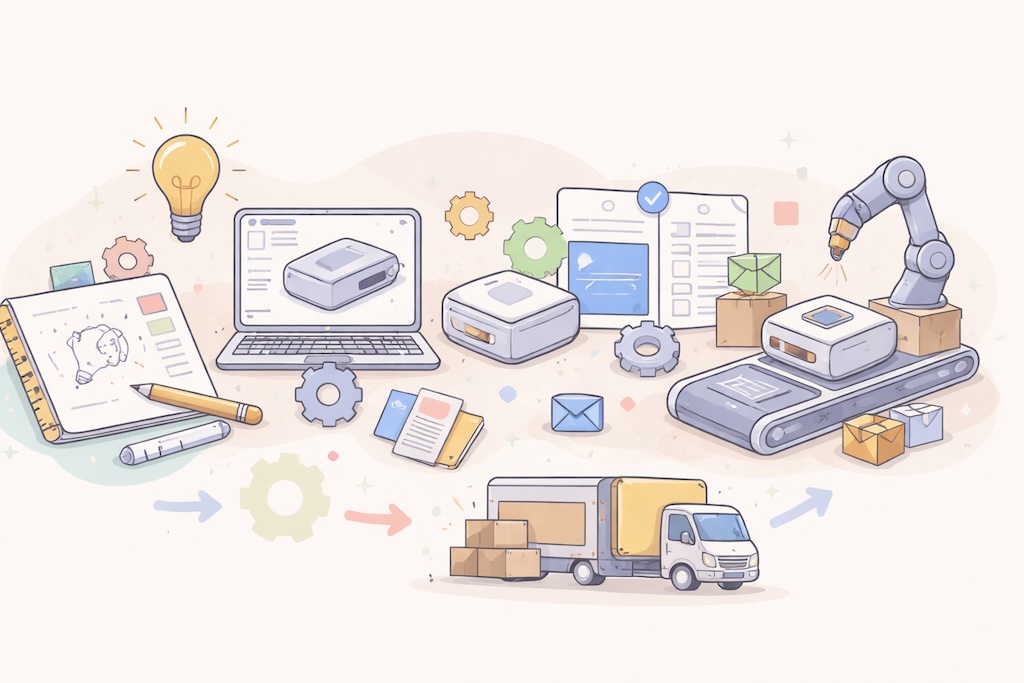
Building a physical product requires a connected chain of specialized tools - each solving a specific problem at a specific stage of the journey. From the first concept sketch to the moment a finished product ships, engineering and manufacturing teams rely on software to design, validate, manage, and execute.
The challenge is not finding tools - there are hundreds of them. The challenge is knowing which ones matter, at which stage, and how data flows between them. A design that never reaches purchasing, a BOM that goes stale, a change order lost in email - these are the failure points that slow products down and drive up costs.
This article walks through the product development journey in order and identifies the tools that experienced manufacturing teams reach for at each step.
Stage 1 - Concept and Ideation
Tool: Miro
Every product starts as an idea, and ideas need a place to take shape before any engineering begins. Miro is a cloud-based visual collaboration platform that provides a shared digital canvas for brainstorming, mind mapping, customer journey mapping, and early product requirement definition.
Product managers, engineers, designers, and business stakeholders can work simultaneously - sketching concepts, connecting ideas, and voting on priorities in real time. Hundreds of ready-made templates for brainstorming and product roadmapping make it easy to get started without a blank page.
For manufacturing teams, Miro is particularly valuable because it brings non-designers into the conversation early. Engineers can flag manufacturability concerns, purchasing teams can raise component availability issues, and sales can contribute customer requirements - all before decisions get locked into a CAD model.
Best for: Cross-functional teams aligning on product requirements before formal design work begins.
Stage 2 - 3D CAD Design
Tool: SOLIDWORKS / Autodesk Fusion
Once requirements are clear, the product needs to become a precise 3D model. CAD software is where that happens, and it dominates the largest portion of the pre-production timeline for most physical products.
SOLIDWORKS remains the most widely used platform for mechanical design among small and mid-sized manufacturers. Its parametric modeling, broad ecosystem of add-ins, and deep integration with simulation and CAM tools make it the default choice for established engineering teams.
Autodesk Fusion is a strong alternative for teams that want a cloud-native, integrated environment combining CAD, CAM, CAE, and PCB design in a single platform. Its architecture makes real-time collaboration and version management more accessible than traditional desktop CAD.
Both produce the 3D models and assemblies that become the foundation for every downstream stage.
Best for: Mechanical engineers creating precise, manufacturable 3D models. SOLIDWORKS for established workflows; Autodesk Fusion for cloud-first, integrated teams.
Stage 3 - Simulation and Validation
Tool: SOLIDWORKS Simulation / Ansys
Building physical prototypes for every design iteration is expensive and slow. Simulation tools let engineers test how a product behaves under real-world conditions - stress, heat, vibration, fluid flow - in the digital model, where changes cost almost nothing.
SOLIDWORKS Simulation covers the validation needs of most standard mechanical design workflows. Static stress, thermal, fatigue, and frequency studies run directly on the SOLIDWORKS model without exporting to a separate tool. When the design changes, the analysis updates automatically.
For more demanding applications - aerospace structures, automotive crash analysis, complex multi-physics problems - Ansys is the industry standard. It offers a depth of simulation capability that goes well beyond what any CAD-bundled tool provides, and the auditability required in regulated industries.
Best for: Engineering teams validating designs before physical prototyping. SOLIDWORKS Simulation for standard mechanical design; Ansys for high-complexity or regulated applications.
Stage 4 - BOM Management and Product Data
Tool: OpenBOM
A 3D model is not a product. A product is a structured list of every part, material, and component needed to build it - with quantities, costs, supplier information, and revision history attached. Managing that structure well is one of the most underestimated challenges in manufacturing.
Most teams start with Excel. As products grow more complex and more people need current data - purchasing, production, suppliers - spreadsheets break down. Versions multiply and data goes stale.
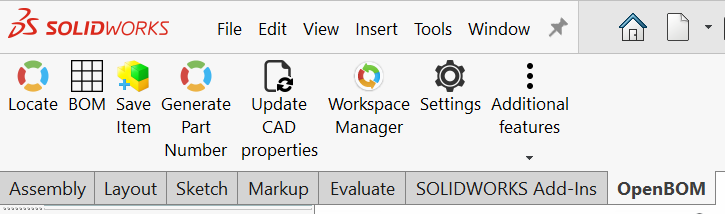
OpenBOM connects directly to SOLIDWORKS, Autodesk Fusion, Onshape, and other CAD tools to extract live BOM data with a single click. Parts catalogs store supplier names, costs, and lead times alongside engineering data. Purchasing managers, production planners, and contract manufacturers can access current product information through a web browser - no CAD license required.
Best for: Teams that need to move product data out of CAD and Excel into a shared, real-time environment that the whole organization can work from.
Stage 5 - CAM and CNC Programming
Tool: CAMWorks / Mastercam
Parts that will be machined need CNC programs. CAM software translates 3D geometry into the toolpaths and G-code that CNC machines use to cut, turn, and mill material into finished components.
CAMWorks is the most tightly integrated CAM solution for SOLIDWORKS users - it lives inside the SOLIDWORKS environment, keeping CAD and CAM data in the same file. When the design changes, toolpaths update automatically. Automatic Feature Recognition reduces programming time significantly by identifying machining features directly from the 3D model.
Mastercam is the most widely used standalone CAM system globally - the standard in machine shops that work across multiple CAD formats and need advanced multi-axis capabilities. Decades of refinement have made it the tool machinists trust most for precision and reliability.
Best for: Teams moving from 3D designs to CNC programs. CAMWorks for SOLIDWORKS-integrated workflows; Mastercam for shops needing broad CAD compatibility and advanced machining.
Stage 6 - Prototyping
Tool: 3D Printing / Xometry
Before committing to expensive production tooling, teams need to validate that the design works in the physical world. Simulation catches many problems - but not all of them. Physical prototypes reveal fit, ergonomics, and real-world performance issues that digital models cannot fully predict.
In-house 3D printing covers early-stage validation. FDM printers produce functional parts quickly and cheaply for initial fit and form checks. SLA and SLS technologies offer higher accuracy for parts that need to be closer to the final product in appearance or mechanical properties.
For prototypes made from production-representative materials - machined aluminum, sheet metal, injection-molded plastic - platforms like Xometry allow engineers to upload geometry, get an instant quote, and order parts without leaving the CAD environment.
Best for: Teams validating designs before production tooling. In-house 3D printing for fast early iterations; Xometry for production-representative prototypes.
Stage 7 - Change Management and Product Release
Tool: OpenBOM (continued)
Getting to release is rarely a straight line. Designs change, test results require modifications, and supplier feedback triggers part substitutions. Without a formal process, teams end up with conflicting BOM versions, unapproved changes reaching production, and no clear record of what changed and why.
OpenBOM manages this stage through engineering change requests (ECRs) and change orders (ECOs), with approval workflows that route changes to the relevant stakeholders before they are applied. Revision control maintains a full history of every BOM version, with side-by-side comparison available at any point.
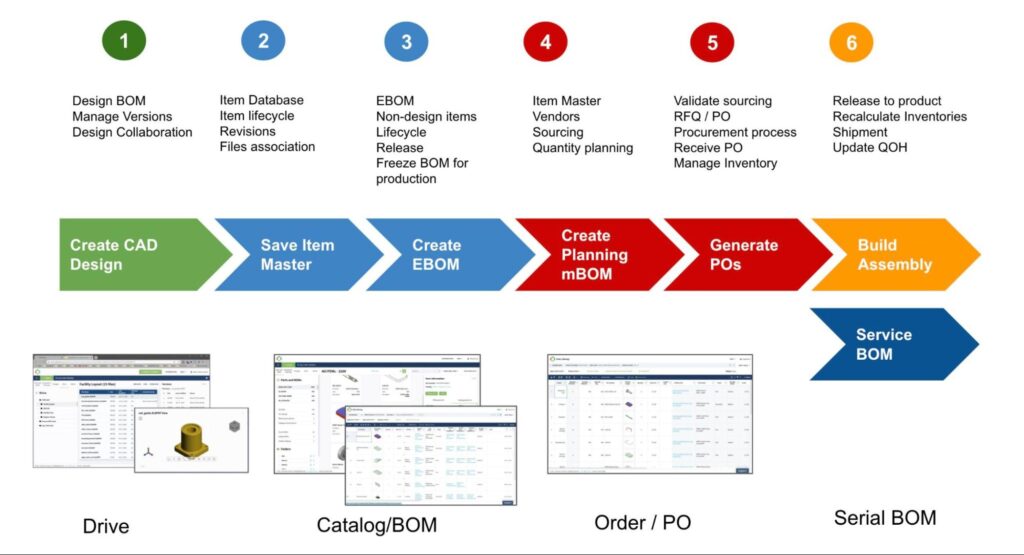
When the product is ready for release, the finalized BOM - with all approved revisions, supplier data, and associated files - is immediately accessible to manufacturing and suppliers through OpenBOM's web interface. For enterprises with complex multi-site compliance requirements, dedicated PLM systems like PTC Windchill or Arena PLM provide the additional layer of control those environments demand.
Best for: Teams managing design changes and formal product release. OpenBOM for SMBs and mid-market manufacturers; enterprise PLM for large-scale compliance needs.
Stage 8 - ERP and Production Planning
Tool: NetSuite / SAP
Once a product is formally released, manufacturing execution begins - and that is the domain of ERP. ERP connects the released BOM to the full set of business operations required to build it: purchasing, inventory management, production scheduling, supplier management, and financials.
The handoff from OpenBOM to ERP is one of the most critical data flows in the entire chain. The released BOM drives material requirements planning, purchase orders, and production work orders. Getting this data across cleanly - without manual re-entry - is where many manufacturing companies still lose significant time and introduce errors.
NetSuite is the most widely adopted cloud ERP among growing manufacturers, offering strong integration capabilities and a comprehensive set of modules without enterprise-scale complexity. SAP serves large manufacturers with multi-plant, global operations where that depth is genuinely required.
Best for: Teams transitioning from product release into production execution. NetSuite for growing manufacturers; SAP for large, multi-site enterprises.
Conclusion
No single tool carries a product from idea to production. The journey requires a chain - and what separates high-performing manufacturing companies from those that struggle is not the quality of any individual tool, but the quality of the handoffs between them.
Data that flows cleanly from CAD into BOM management, through change control, and into ERP is what reduces errors, shortens lead times, and gets products to market on schedule. The tools in this article represent the current standard at each stage of that chain - from Miro at the whiteboard to SAP on the production floor, with OpenBOM playing a central role in keeping engineering data connected to the people and systems that depend on it.