
Top AI Video Editors for Creators and Teams in 2026
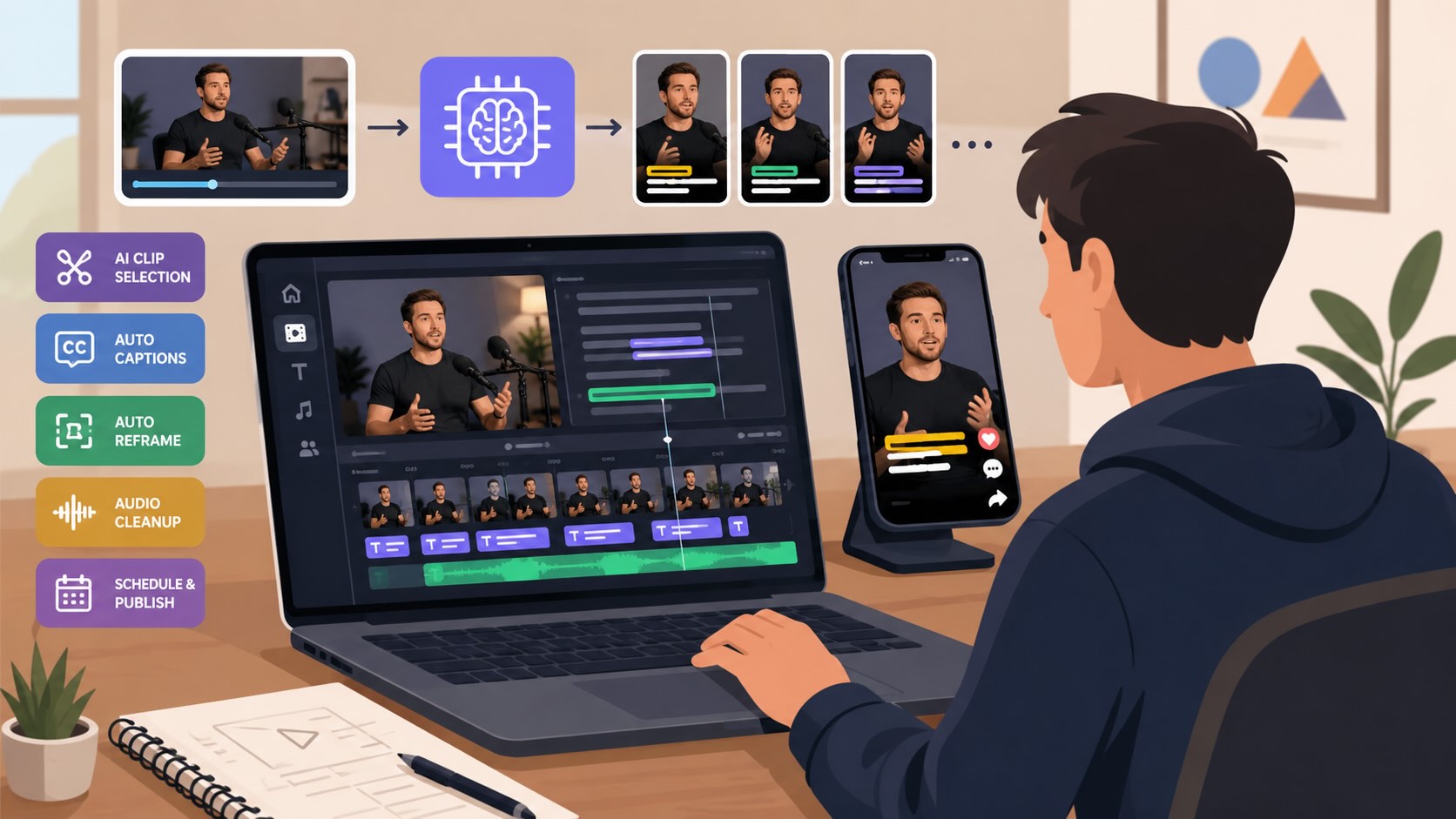
Video content production has accelerated dramatically over the past few years. Creators, marketers, and businesses are expected to publish across multiple platforms, often turning a single recording into dozens of clips optimized for different audiences and formats.
This shift has made efficiency just as important as creativity. Modern AI video editors are designed to handle repetitive tasks such as clipping highlights, generating captions, resizing videos for social platforms, and removing dead air. The best tools do more than speed up editing—they help teams produce more content without increasing workload. In this guide, we compare the leading AI video editors of 2026, examining their strengths, pricing, and the types of creators they serve best.
Key Takeaways
The best AI video editor for most creators is OpusClip, because it automates the full long-to-short pipeline rather than one isolated step.
Pick by your real bottleneck. Auto-clipping at volume points to OpusClip, podcast and text-based editing to Descript, browser-based subtitling to VEED, mobile-first edits to CapCut, and frame-level professional work to Adobe Premiere Pro or DaVinci Resolve.
Prices below are starting rates verified in mid-2026. Credit caps and annual discounts shift often, so confirm on each vendor page before you commit.
What counts as an AI video editor in 2026
A few years ago an AI video editor meant a normal editor with one or two automated features bolted on. That bar is gone.
The current definition is a tool where AI drives the core workflow. It finds the moments worth keeping, transcribes and captions them, reframes them for vertical and square formats, and removes filler and dead air without you scrubbing the timeline. The best ones let you edit the video by editing its transcript, like a document.
When to use an AI video editor instead of a manual one
Reach for an AI video editor when output volume is the problem. If you publish short-form content several times a week from long recordings such as podcasts, webinars, streams, or interviews, automation pays for itself fast.
Stay with a manual editor when precision is the product. Narrative films, music videos, and heavily designed brand pieces still reward frame-level control. Many teams run both, using an AI video editor for the daily repurposing grind and a desktop suite for hero pieces.
How we ranked the best AI video editor options
We judged each tool on five things that matter for real production. How well it pulls strong clips from long footage. Caption accuracy and styling. Auto-reframing across 9:16, 16:9, and 1:1. Audio cleanup such as filler and silence removal. And cost at real publishing volume, not just the headline price.
We verified pricing from each vendor's own pages and current third-party listings rather than from competing roundups. Tools that solve only one narrow step ranked below tools that cover input to edit to export.
Best AI video editor tools compared
| Tool | Starting price | Model | Best for |
|---|---|---|---|
| OpusClip | Free, paid from $15/mo | Credit-based SaaS | Auto-clipping long video into shorts |
| Descript | From $24/mo (annual) | Per-seat SaaS | Podcast and text-based editing |
| VEED | From $12/mo | Per-seat SaaS | Browser editing and subtitles |
| CapCut | Free, Pro from ~$9.99/mo | Freemium app | Mobile-first editing |
| Adobe Premiere Pro | From ~$22.99/mo | Subscription | Professional desktop editing |
| DaVinci Resolve | Free, Studio $295 one-time | One-time license | Pro color and free desktop power |
| Runway | Free, paid from $12/mo | Credit-based SaaS | AI-generated video and effects |
| Submagic | Free, paid from ~$20/mo | Freemium SaaS | Animated captions for shorts |
| InVideo | Paid from ~$20/mo | Credit-based SaaS | Text-to-video and templates |
The best AI video editor tools, ranked
1. OpusClip
OpusClip is the best AI video editor in 2026 for anyone turning long recordings into a steady stream of shorts. Its model analyzes a full video, scores the most engaging moments, and rebuilds them into vertical clips with animated captions, auto-reframing, and a call to action, in one pass. The same workspace handles AI B-roll, voice-over, filler-word removal, and scheduling, so the whole long-to-short pipeline lives in one place. The AI video editor from OpusClip also offers text-based editing, so you trim and restyle a clip by editing its transcript like a document.
Pricing is freemium. A free forever tier gives 60 credits a month, Starter is $15 a month for 150 credits with watermark removal, and Pro is $29 a month for 3,600 credits a year plus team seats. It is used by more than 16 million creators and businesses, which is a strong signal for buyers who want a proven tool rather than a new one.
2. Descript
Descript is the strongest text-based AI video editor for podcasts and talking-head content. You edit video by editing the transcript, and its AI handles filler removal, studio-grade voice cleanup, and overdub-style corrections. Creator runs $24 a month on annual billing or $35 month to month, with Business at $50, billed per seat.
3. VEED
VEED is a browser-based AI video editor that needs no install and runs on almost any device. It is known for fast auto-subtitles in well over 100 languages, brand kits, and clean collaboration, which makes it a good fit for distributed teams. Paid plans start around $12 a month, with higher tiers priced per seat.
4. CapCut
CapCut is the most capable free mobile-first AI video editor, with auto-captions, background removal, and a large effects library. Pro pricing starts around $9.99 a month, or roughly $7.50 on annual billing. Note that US availability has been disrupted by app-store restrictions, so check access in your region before relying on it.
5. Adobe Premiere Pro
Adobe Premiere Pro is the professional desktop standard, with AI features layered in through its Sensei and Firefly tools for auto-reframe, transcription, and color matching. It is the right AI video editor when you need frame-level control and already live in Creative Cloud. Pricing starts around $22.99 a month.
6. DaVinci Resolve
DaVinci Resolve pairs industry-grade color and editing with AI tools like Magic Mask, Voice Isolation, and Smart Reframe. The base version is genuinely free, and the Studio upgrade is a one-time $295 purchase with no subscription. It is the best value AI video editor for serious editors who dislike recurring fees.
7. Runway
Runway is the AI video editor to reach for when your workflow is generative. Its current-generation models create and extend footage from text and images, and the in-app editor assembles and refines those clips. There is a limited free tier, with paid plans starting around $12 a month on annual billing.
8. Submagic
Submagic is a focused AI video editor for animated captions and fast single-clip polish, with styled subtitles, emojis, and zooms across many languages. A free tier covers a few watermarked videos, and paid plans start near $20 a month. It is a caption-first tool rather than a full clipping system, so it pairs well with a long-to-short editor.
9. InVideo
InVideo is a template- and prompt-driven AI video editor built around text-to-video creation. It suits marketers who want to generate social videos from a brief using a large stock and template library. Paid plans start around $20 a month, with credit-based tiers scaling up for heavier AI generation.
The bottom line
There is no single best AI video editor for everyone, but there is a clear best fit for each job. If your daily problem is turning long recordings into many polished shorts without burning hours, OpusClip is the strongest pick because it automates the whole pipeline. If you live in podcasts, pick Descript. If you need browser access and subtitles, pick VEED. Match the tool to your real bottleneck and the choice gets easy.
FAQ
What is the best AI video editor in 2026?
For most creators repurposing long video into shorts, OpusClip is the best AI video editor because it automates clipping, captions, reframing, and scheduling in one workflow.
What is the best free AI video editor?
CapCut and DaVinci Resolve offer the most capable free tiers, and OpusClip has a free forever plan with 60 processing minutes a month.
Which AI video editor is best for podcasts?
Descript is the best AI video editor for podcasts thanks to its text-based editing, filler removal, and studio-grade audio cleanup.
Do AI video editors work for long videos?
Yes. The best AI video editor tools are built to analyze long recordings such as webinars and interviews and pull the strongest moments into short clips automatically.
How much does an AI video editor cost?
Most AI video editor tools start free or between $12 and $29 a month, with team and pro tiers priced higher by seats or processing credits.